Creative asset management for design teams
Designers did not take the job to answer file requests. But in most companies the creative team is the only group that knows where things are, so every "do you have the logo in white?" lands on their desk. Data Dwell lets everyone else help themselves, and gives the creative team its time back.
AI search and version control on every plan, including Free.
What is creative asset management?
Creative asset management is how a design or content team stores, versions, reviews and releases its work. Creative asset management software keeps finished files and their history in one library, routes new work for approval, and lets colleagues download what they need in the right format without asking a designer.
The problems we built this for
final_v3_FINAL_use-this-one.psd. Version control by file name stops working the moment two people touch the same file.
Feedback in five channels. A comment in Slack, a marked-up PDF in email, a note in a meeting. Then someone approves the wrong version.
The resize queue. Somebody needs the banner at a different size, or the photo as a JPG and not a PNG. It takes two minutes and it happens twenty times a week.
Old work is invisible. There is a perfect image from a shoot three years ago. Nobody can find it, so the team buys stock.
What changes with Data Dwell
Versions stack on one file
Upload a new version and it sits on top of the old one. The link stays the same, the history stays intact and nobody downstream has to be told. If two people might edit at once, lock the asset while you work.
One route for approval
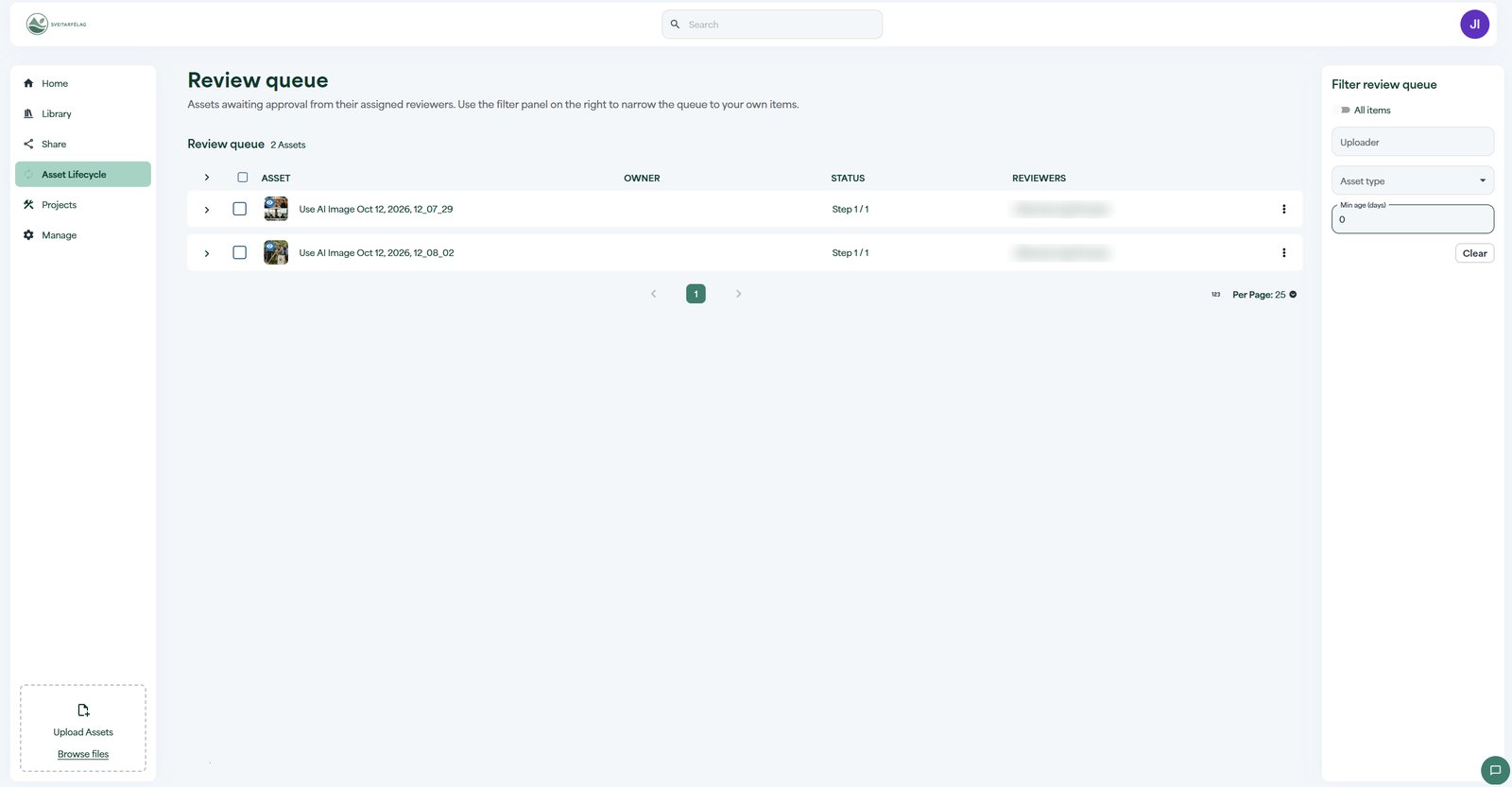
Review chains send new work to the right people in order. An asset sits in Review until it is approved and only then becomes Active. If it is for a launch, add an embargo date and it stays hidden until the day.
Self-serve formats
Keep the master file. File conversions and saved presets let colleagues download the size and format they need, so the request never reaches you.
Search by what is in the image
AI search reads the picture itself. Search for "aerial shot of a harbor at dusk" and get it, tagged or not. AI tagging adds keywords at upload. It does not identify specific people or logos, so add a name tag where that matters.
No more accidental duplicates
Duplicate detection flags a file that is already in the library before it goes in a second time.
Metadata that does not need a librarian
Enterprise plans can map IPTC and EXIF data from the file, so credit, copyright and camera details arrive with the upload. More on metadata.
Hand-off without the zip file
Share a portal with the campaign team or an outside printer. They get a branded page with exactly the files you chose.
Does it work with our design tools?
Yes, through LinkrUI, a connector from Santa Cruz Software. Your designers can search, open and place approved Data Dwell assets inside Photoshop, Illustrator, InDesign, Premiere Pro and After Effects, and in Figma.
A fair word on video
Data Dwell stores, previews and shares video, and Enterprise plans add captions and transcription. It is a good home for finished cuts. It is not a production tool for editors working with raw footage, so teams with a heavy video pipeline should keep their editing storage and use Data Dwell for approved output.
Pricing
Every designer, marketer and stakeholder can have access. Paid plans do not charge per user.
- Free: $0, 3 users, 3 GB.
- Starter: $89 per month, unlimited users, 250 GB.
- Pro: $165 per month, unlimited users, 500 GB.
- Enterprise: custom, with IPTC and EXIF mapping, video captions and showcases.
Frequently asked questions
What is the best DAM for creative teams?
Look for strong version control, an approval flow, fast visual search and easy format conversion. Data Dwell includes all four on every plan. Teams that live inside Adobe and need deep in-app panels often look at Bynder or Brandfolder as well, at a much higher price. Our Bynder comparison goes through the differences.
How is a DAM different from Dropbox or Google Drive for designers?
Drive and Dropbox store files. A DAM manages them: it tracks versions on a single asset, runs approvals, converts formats on download, searches image content and expires files on a date.
Can non-designers download assets in the size they need?
Yes. You set up conversion presets once, for example "Web banner" or "Print", and anyone with access can pick one at download.
Does it support large files and design formats?
Yes. Any file type can be uploaded and stored. Data Dwell has no platform-level upload limit, but your browser may impose limitations. Previews and thumbnails are generated for more than 200 formats, including PSD, AI (Illustrator CS2 or later) and most RAW camera formats. A file in a format without preview support is still stored, searchable and shareable.
Can we control who sees work in progress?
Yes. An asset stays in Review until it is approved, and permissions decide who can see each folder.
How do we move our existing library in?
Upload it yourself, or let us do it. Migration is free on paid annual plans, and the AI Architect assistant suggests a structure based on what you upload.
Get your afternoons back
Upload your brand kit, set two or three presets and send the link to the people who ask you for files most often.