Digital asset management for marketing teams
A marketing team produces more files in a quarter than most departments do in a year. Campaign images, video cuts, PDFs, social sizes, and three rounds of each. Data Dwell puts all of it in one searchable library, so the team spends its time on the campaign and not on looking for the file.
Unlimited users on every paid plan.
What is marketing asset management?
Marketing asset management means keeping every piece of marketing content in one system where it can be found, approved, shared and retired. Marketing asset management software replaces scattered folders with a single library that has search, version history, permissions and controlled sharing. Most people simply call it a DAM.
Signs your team has outgrown shared folders
Google Drive and SharePoint are fine for documents. They start to struggle when the content is visual and the audience is outside the company. You have probably outgrown them if:
- Finding an image depends on remembering what someone named the folder.
- Sales and partners ask marketing for files every week, and someone has to stop work to send them.
- The same asset exists in several sizes and nobody knows which one is approved.
- A campaign ends and its files stay in circulation.
- You have no idea which assets are used and which were a waste of budget.
We wrote more about this in DAM vs Google Drive and DAM vs SharePoint.
What marketing teams do with Data Dwell
Find the file without asking anyone
AI search looks at what is in an image, not only its file name. Type what you remember and it shows up. AI tagging adds keywords to new uploads on its own, which removes the job everybody skips.
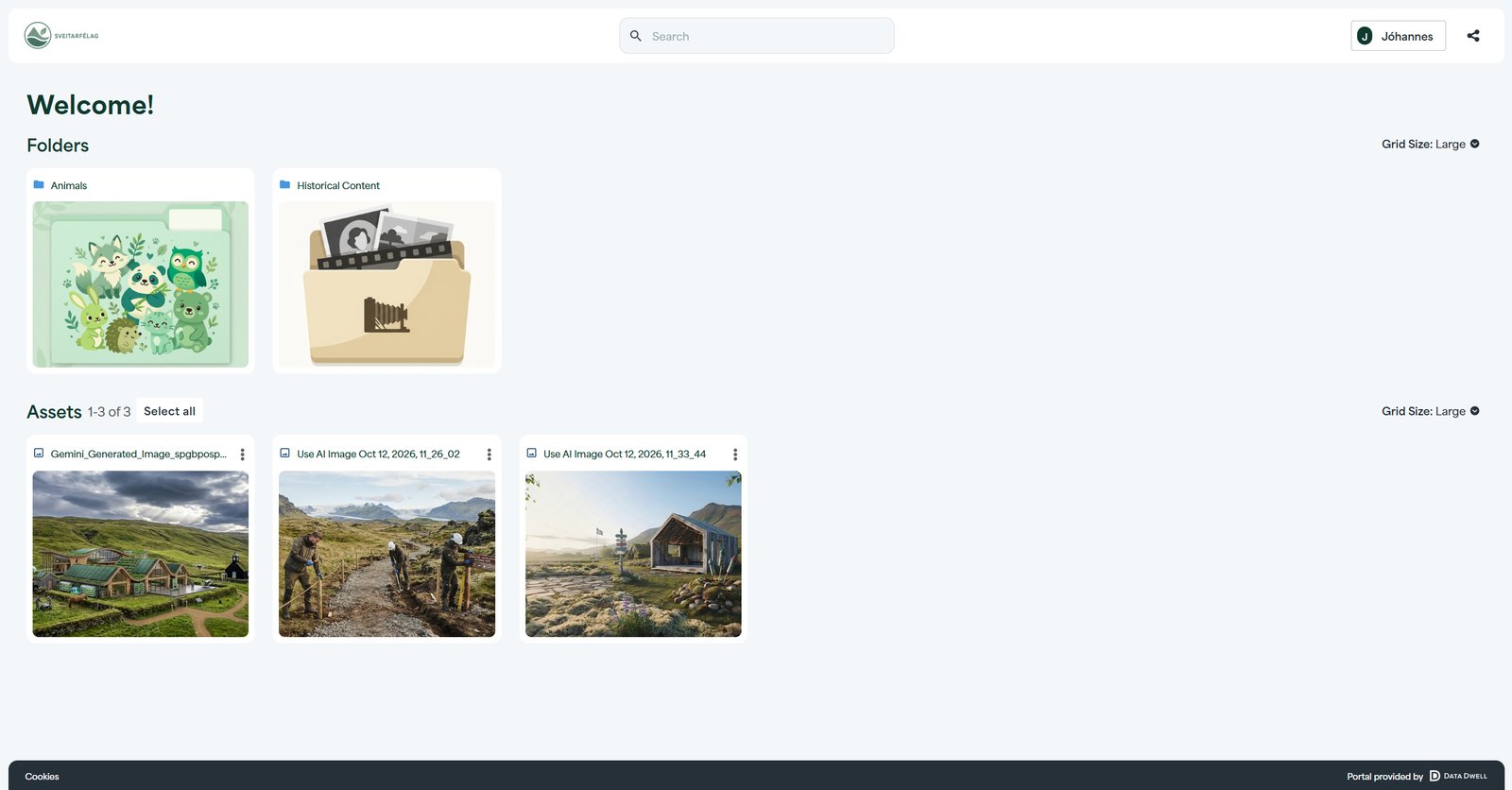
Send a campaign kit as one link
Build a portal for a launch, add the images, video and copy, and send the link to sales, regional teams or an agency. It carries your branding. If you swap a file later, the portal shows the new one.
Launch on time, clean up on time
Upload early and set an embargo date so nothing is visible before launch day. Set an expiry date so the campaign retires itself when it ends. Details on the asset lifecycle page.
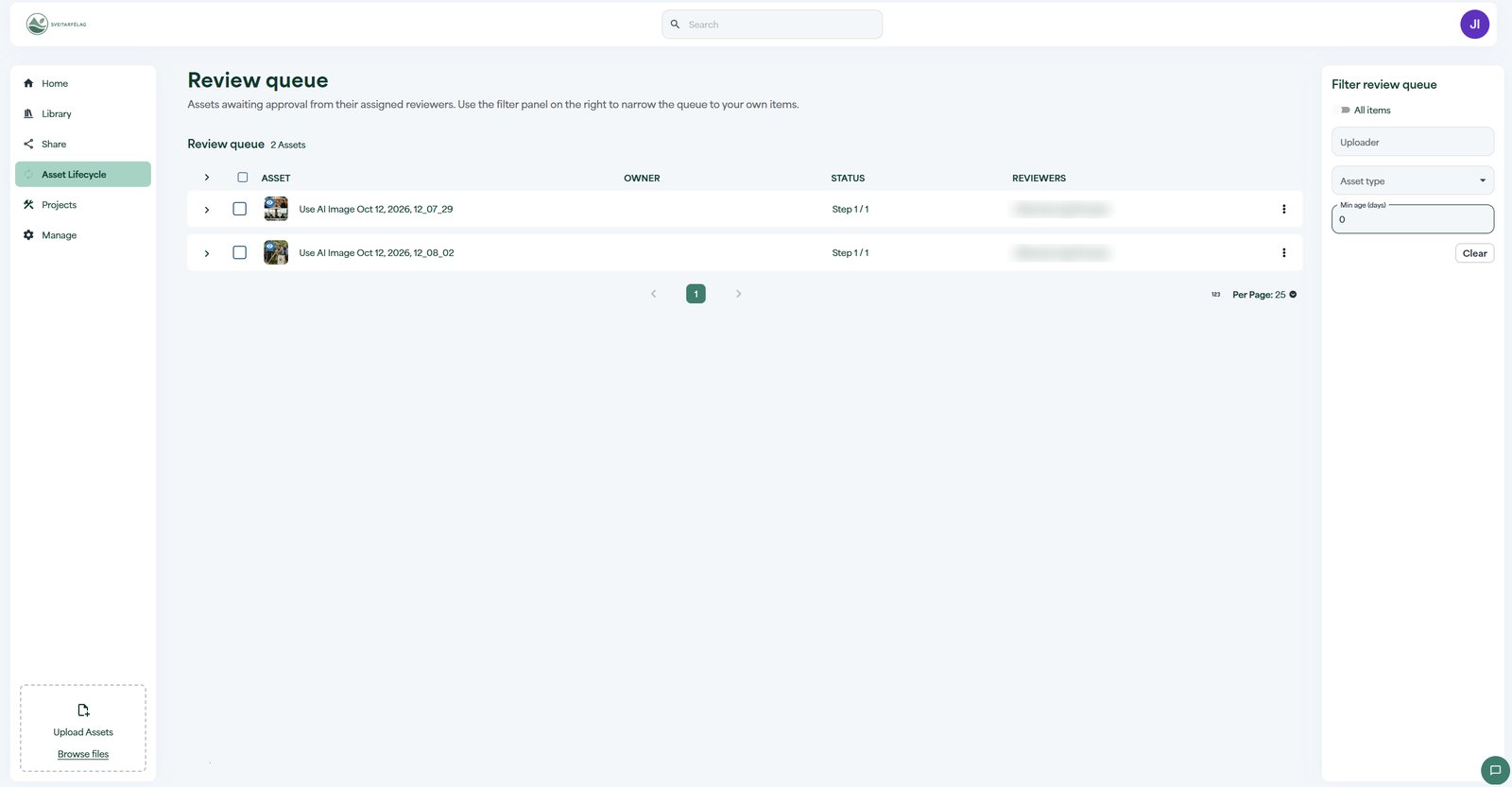
Get approvals out of email
Review chains send a new asset to the right approver and keep a record of the decision. Nothing goes live half-approved.
Stop exporting ten sizes
Store one master file. Conversion presets give each channel the size and format it needs at download.
See what gets used
Analytics show downloads and portal visits, so you can tell which content earns its place and which nobody opens.
Connect it to the rest of your stack
The API pushes assets to your website and CRM. From the Starter plan you also get SSO and an MCP server, which lets AI assistants search and fetch approved assets directly.
How one marketing team uses it
Devyser, a diagnostics company, manages content for about 150 products. Their product documents are stored in Data Dwell and published to HubSpot through the API, so when a file changes in the library it changes on the website too.
"We just publish and store. It saves so much time."
What it costs
A marketing DAM is usually priced per user, which means the people who need files most, like sales and partners, are the ones left out. Data Dwell does not charge per user on paid plans.
- Free: $0, 3 users, 3 GB, 5 portals.
- Starter: $89 per month, unlimited users, 250 GB, 10 portals.
- Pro: $165 per month, unlimited users, 500 GB, unlimited portals.
- Enterprise: custom, with SLA, a dedicated account manager and migration included.
Frequently asked questions
What is the best DAM for a marketing team?
The right one is the one your whole team will use. For large enterprises with complex workflows and a matching budget, Bynder and Brandfolder are common choices. For small and mid-sized marketing teams that want public pricing, unlimited users and a short setup, Data Dwell is built for that. Our top 10 DAM comparison covers the wider market.
How much does DAM software cost for a small marketing team?
Enterprise platforms are quote-only and often run to tens of thousands of dollars a year. Data Dwell starts at $0 for three users, then $89 a month for unlimited users and 250 GB. There is a fuller breakdown in our DAM pricing guide.
Is a DAM better than Google Drive for marketing?
For documents, Drive is enough. For brand and campaign content it falls short on visual search, version control, expiry dates and sharing with people outside the company. A DAM is designed around those jobs.
Can sales and partners get files without a license?
Yes. Paid plans include unlimited users, and portals let anyone open a shared collection by link without an account.
Does it handle video?
You can store, preview and share video alongside your other files, and Enterprise plans add captions and transcription. Data Dwell is not a video editing or production tool, so teams with heavy post-production needs should pair it with one.
How long does it take to get started?
You can sign up and upload files on the same day. The AI Architect assistant proposes a structure for you, and migration from another system is free on paid annual plans.
Put your marketing content in one place
Try it with one live campaign. Upload the files, build a portal and send the link to your sales team.